Live editing
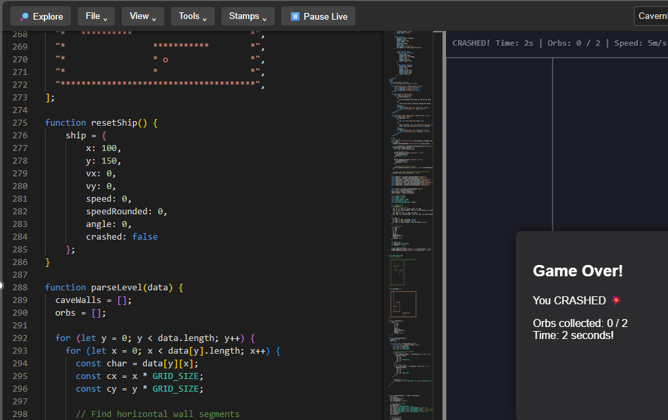
Write HTML, CSS and JavaScript in one place and see the output instantly. Perfect for prototypes, mini tools, demos and single-page apps.
- Quick preview loop
- Clean saved URLs
- Readable browser-first projects
Webitor is a lightweight creative coding workspace for quickly writing, testing, saving and sharing browser-based projects. With Stamps, Templates and a growing toolbox, it is becoming less of a text box and more of a launchpad.
Webitor started as a quick live HTML runner. It now has the beginnings of a proper browser-native workflow: code, preview, save, load, bake, stamp, template and extend.
Write HTML, CSS and JavaScript in one place and see the output instantly. Perfect for prototypes, mini tools, demos and single-page apps.
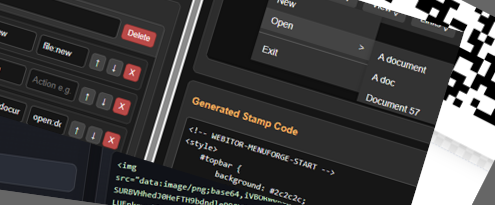
Reusable chunks of code for the things you keep building again and again: menus, modals, storage, PWA head tags, controls and common helpers.
Starter layouts for common project types. Open a template, tweak the bits that matter, then turn it into something useful.
The new direction for Webitor is simple: reduce the boring setup and keep the creative bit fast. Stamps and tools fill in the repetitive gaps.
Open a blank page or pick a starter template for the kind of tool, game, page or demo you are building.
Add common building blocks like menus, modals, storage helpers, PWA tags or reusable UI controls.
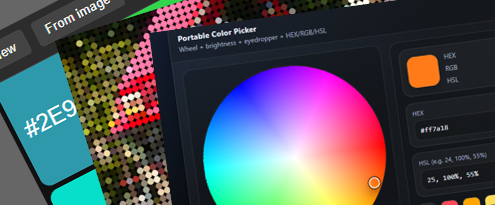
Use the companion tools to create images, icons, placeholders, QR codes, palettes, menus and more.
Save it, bake it, preview it, send it, host it or keep building until the small idea becomes a real thing.
A growing collection of practical browser tools that support the editor and the projects built inside it. Search or filter the list below.
This needs some words 🤔 ... or does it
Start with a blank file, stamp in the boring bits, forge the assets around it, then save the result as a shareable browser project.